
Keeping a contact's details up to date
Where contact records come from, how to correct a name, email or phone number, and who can delete one.
There is no “new contact” button, and you don’t need one. A record is created for you the first time someone reaches the dealership: filling in the Text Us! form on your website, starting a chat that gets handed to a person, or texting your dealership’s number. What you do have to do is tidy those records up, because the details a customer types into a website form at 11pm are often half right.
Correct a name, email or phone number
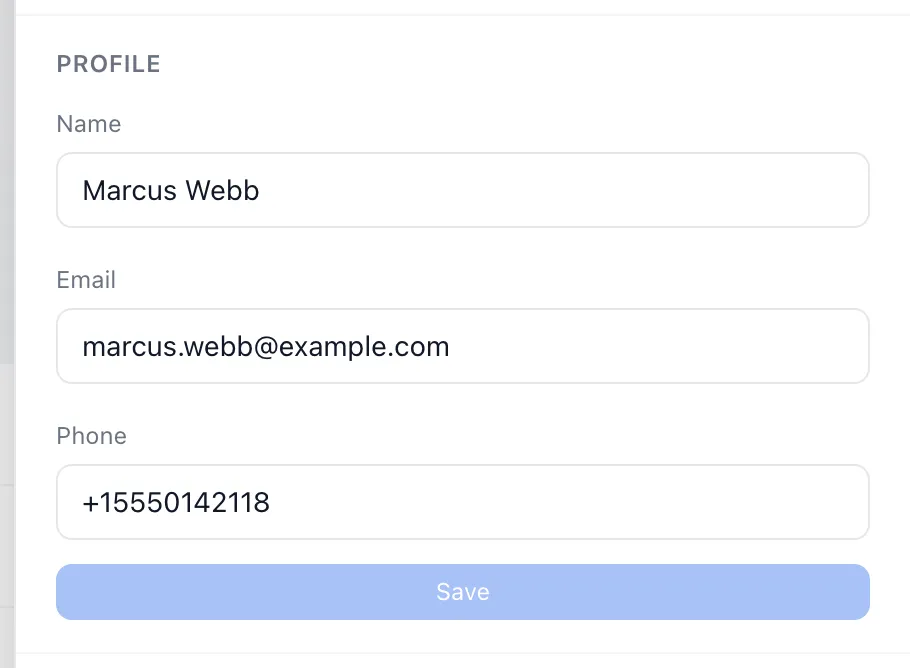
- Go to Contacts and choose the person’s row. Their record slides in from the right.
- The top section is Profile, with Name, Email and Phone.
- Change what needs changing.
- Choose Save.
Save stays greyed out until you have actually changed something, and a contact must always keep a name. Email and phone can both be left empty.
You can do the same from inside a conversation, which is usually where you notice the problem: in the panel on the right of the chat, choose Edit next to the customer’s name.
Fill in a missing phone number
A contact with no number shows a dash in the phone column of the list, and No phone on file in their record. This is common for anyone who arrived through the chat bot on your website, which asks for a name and an email but never a phone number.
Add the number to the Phone box and choose Save. Until you do, that customer can’t be texted at all, and they won’t appear in a text campaign no matter which group they are in.
The opposite case shows as No email (SMS contact): someone who texted your number first and has never given you an email address.
Delete a contact
Only dealership admins can do this. Supervisors and agents don’t see the option.
- Open the contact.
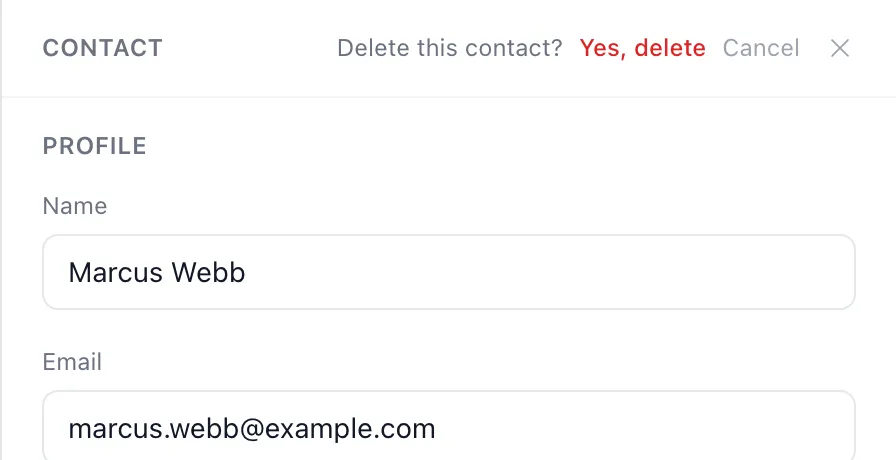
- Choose Delete contact at the top of the panel.
- The heading changes to Delete this contact?. Choose Yes, delete to go through with it, or Cancel.
The contact stops appearing in the directory and in search. Their past conversations, notes and files stay where they are, so nothing you need for a complaint or a warranty claim is lost.
Good to know
- Contacts are matched on their email address. When a customer comes back and fills in a form with the same address they used before, you get their existing record updated, not a second copy of them. That matching is per dealership, so the same person can exist separately at two dealerships.
- Nobody checks the phone number for you. Anything you type is accepted, so a number with a digit missing saves without complaint and then quietly fails to reach anyone. Type it the way you would dial it, including the area code.
- The same customer can end up in the directory twice — once from a text, with no email, and once from a website form, with one. There is no way to merge two records, so the safer fix is to fill in the missing detail on the record you want to keep and delete the other.
- Deleting is not as final as it sounds. If a deleted customer comes back and starts another conversation, their old record comes back with them, notes and files and all.
- Notes about a customer live in the conversation, not on the Contacts page. Open the chat, then Notes in the panel on the right.
If something goes wrong
| What you see | What it means | What to do |
|---|---|---|
| Another contact already uses that email | Someone else in your directory already has that address. | Search for the address to find the other record. Usually the two are the same person and you only need one of them. |
| invalid email | The address is missing an @ or a domain. | Retype it, or empty the box if you don’t have one. |
| name cannot be empty | You cleared the Name box. | Put something back — a phone number is fine if that is all you have. |
| Couldn’t load contact. | The record didn’t come through. | Choose Retry. If it keeps failing, close the panel and open the contact again. |
| Couldn’t delete this contact. Please try again. | The deletion didn’t go through. | Try once more. If it still fails, someone else may have deleted the contact already — close the panel and search for them. |
| Save stays greyed out | Either nothing has changed yet, or the Name box is empty. | Put a name back in. |